Not just a photo.
The whole memory.
Tucksy keeps the picture, the voice, the story and the place together — so nothing gets lost in your camera roll.
Coming to iOS, Android and the web.
How it works
Three taps and it's kept.
Capture it
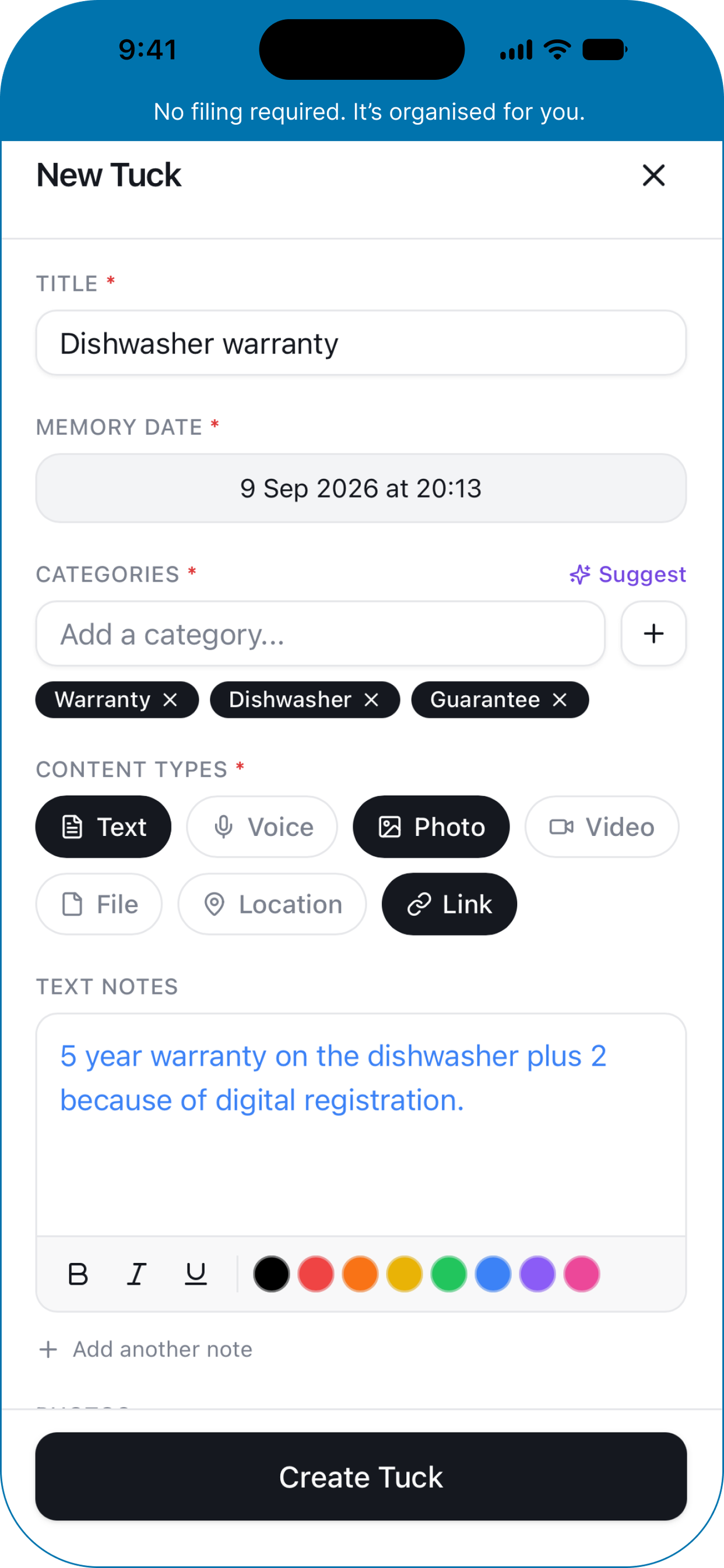
Tap +, give the moment a title and a date, and add whatever you have — a photo, a voice note, a video, a file, a place, a few words.
Tuck it away
Tag it, or let Tucksy suggest the categories that fit. Then add more to the same Tuck whenever you remember something else.
Come back to it
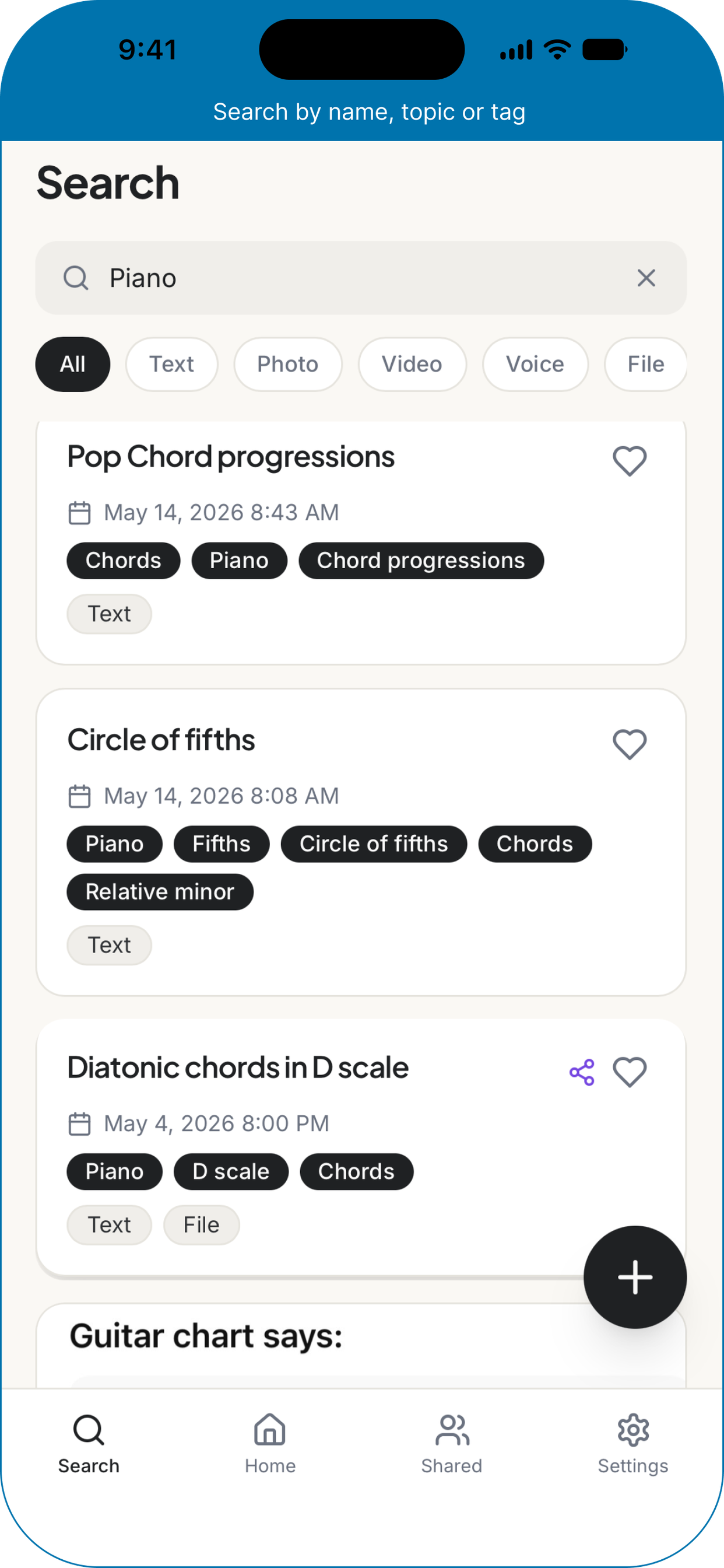
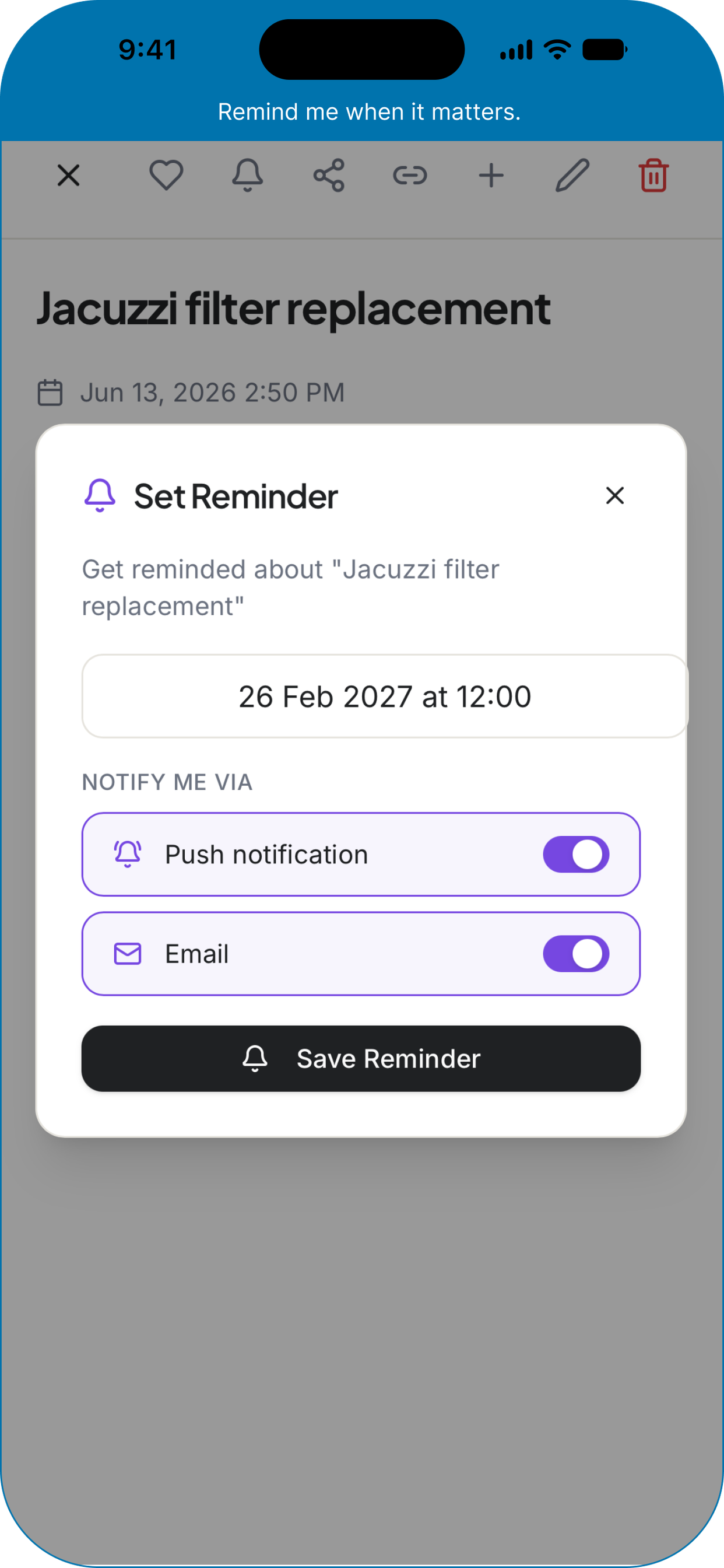
Search it, favourite it, set a reminder to revisit it, or share it with the person who was there.
One Tuck
A memory isn't just a photo.
It's the picture, the story behind it, the voice of the person who was there, and the place it happened. Most apps keep one of those.
Tucksy keeps them together, in one Tuck — and you can add to it years later.
Grandma's kitchen
14 March 1994
- The kitchen table, that SundayPhoto
- Her telling the story of the recipe0:42 voice note
- Walthamstow, LondonPlace
- The handwritten recipe cardScan
- Don't forget the pinch of salt.Note
Why Tucksy
Keep the whole memory, not just the photo.
The picture, the voice, the story and the place — together, and easy to find again.
AI-suggested categories
Tap once and Tucksy offers the tags that fit, so organising doesn't feel like homework.
One Tuck, everything in it
Text, photos, video, voice notes, files, links and places — no more splitting a memory across five apps.
Date it when it happened
A Tuck is dated to the moment itself, not the day you uploaded it — so years of memories can be added.
Search inside your photos
Tucksy reads the text inside images and documents, so the receipt from that trip is actually findable.
Memories grow
Add more to a Tuck whenever something comes back to you — even years later.
A look inside
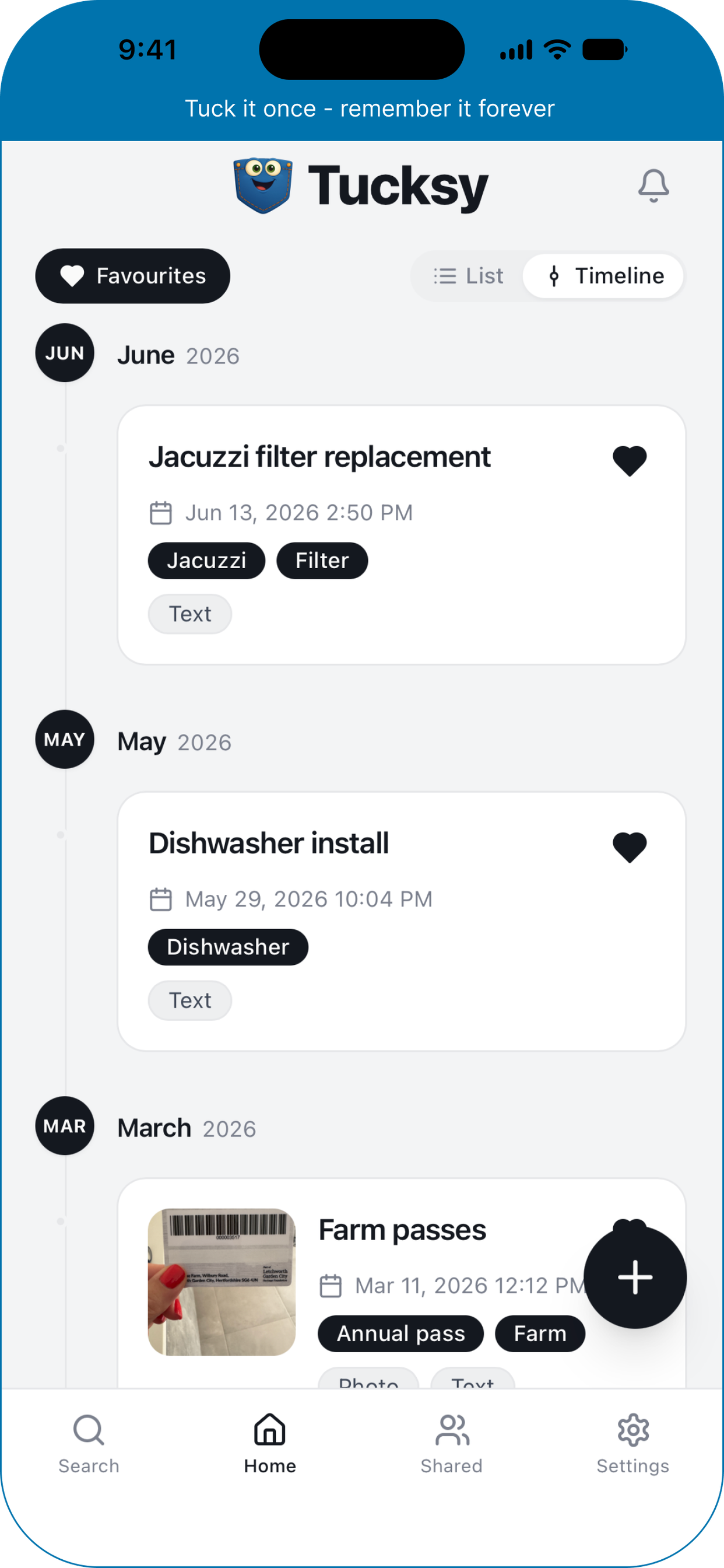
Everything in one place.
A calm, focused interface that puts your memories first and gets out of the way.
Private by default
Your memories are yours alone.
Nothing is public unless you decide it should be.
Stored privately
Photos, voice notes and files are kept in private storage, not on public links. Only you can open them.
Share with who you choose
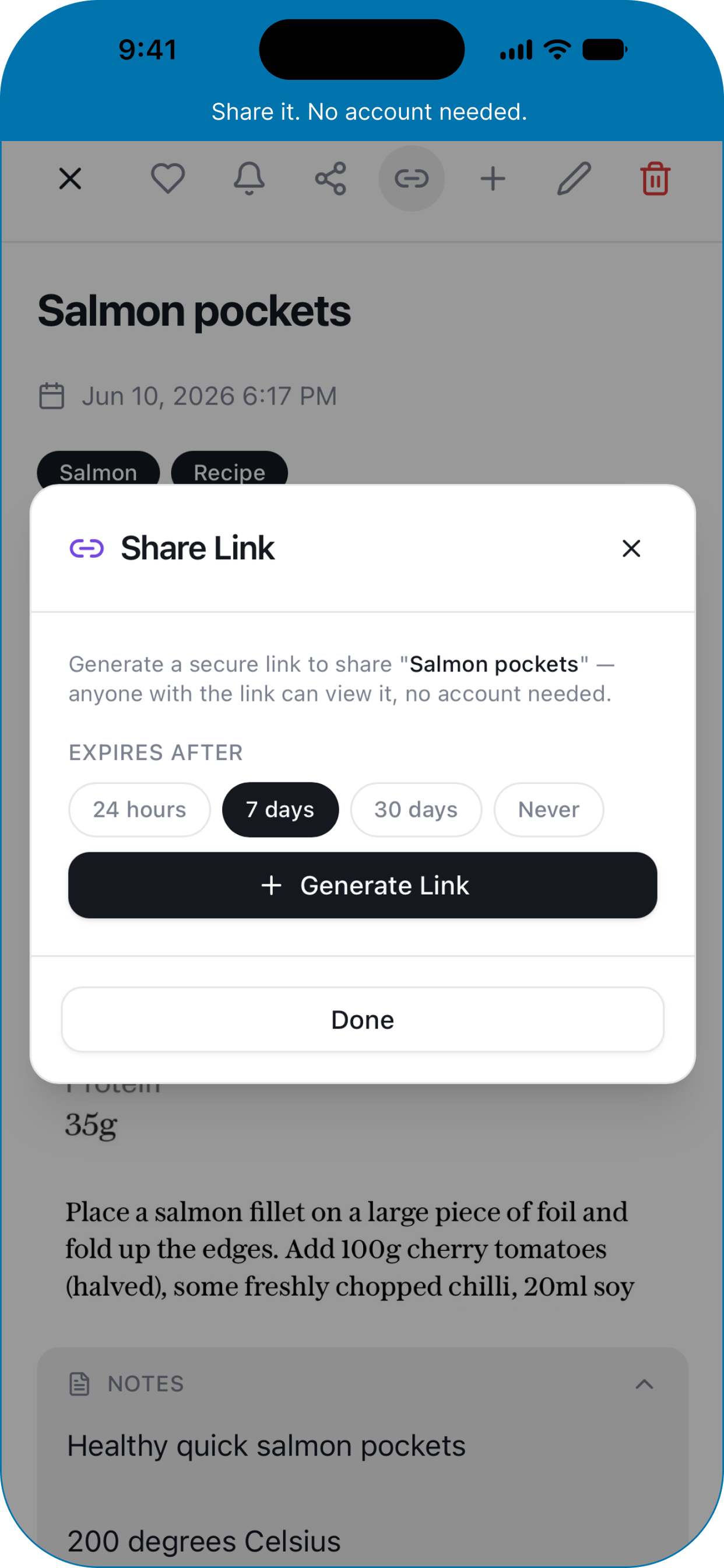
Send a memory to someone who was there, or make a link that expires in 24 hours, 7 days or 30 days. Revoke it whenever you like.
Yours to remove
Delete anything you no longer want, or close your account and everything in it, straight from Settings.
Pricing
Start free. Add more when you need it.
Free
Everything you need to start keeping your memories in one place.
- Text notes and photos
- Unlimited Tucks
- Categories, favourites, list and timeline views
- Search and content-type filters
- Reminders by notification and email
- Light and dark themes, offline reading
Premium
Premiumor £39.99 a year — save 17%
The full memory box: every kind of content, and sharing.
- Everything in Free
- AI-suggested categories
- Search inside photos and documents
- Voice notes, video, files, links and places
- Sharing, comments and expiring share links
Prices shown in the app. Cancel anytime through the App Store or Google Play.
Questions
A few things worth knowing.
Be the first to know.
We're putting the finishing touches on Tucksy. Drop your email and we'll let you know the moment it's ready.